
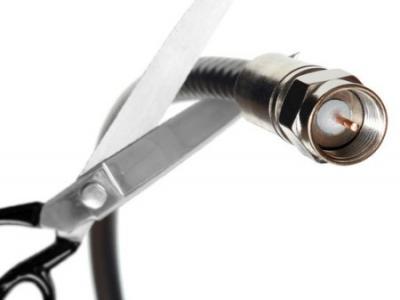
On this National Streaming Day (I know, there’s a day for everything!) I decided I would share my family’s experience with finally cutting the cord with cable tv and going all-in on streaming.
After decades of paying for the overwhelming bundle and cost of cable, tv and phone service I worked up the courage to make the call that I had tried many times before. Having made this call at least 5 times over the years I anticipated the outcome, but this time I was prepared. Each time I had attempted to cancel cable (where our bill was always at least $260/month!) I was talked into a few more free premium channels for 6+more months and a slightly faster internet upload/download speed and each time feeling like I somehow won! Of course I knew that we only watched a few of those channels, we NEVER used our home phone and we spent most of the time jumping to our streaming services. So, why in the heck were we still paying for all of this stuff ??? Yea, we asked ourselves the same thing until we finally did it.
And here’s how I did it…
- Bumped my internet bandwidth to the highest level (this was still a considerable discount from what I had been paying for the full bundled package). I am now at 150/150.
- Purchased/Used the following streaming devices (you don’t have to have all of these)
- AppleTV 4th generation: My preferred streaming device just because the interface and remote is beautiful.
- Roku Express: This is a great, cheap streaming device with a handy remote and allows the broadest set of streaming services to be viewed. At only $29 bucks it’s a bargain and is often bundled free with a plan.
- Sony Smart 4K TV: This is currently the only way I can stream 4K content that both Netflix and Amazon provide. So, when I want to watch House of Cards in its full 4K glory we head to the living room to stream on this device
- Microsoft Xbox One: I am a gamer – shocker. The Xbox also allows you access to your various streaming services directly from this gaming console. I would only recommend this route if you are a gamer as these devices aren’t cheap.
- I subscribed to the following streaming services:
- Netflix – of course, this is an absolute staple, not just for an amazing collection of the latest movies, but also some of the best award-winning original content like House of Cards. ($12.83/month)
- Amazon Prime Video – We were already a Prime subscriber and among the world of prime-addicts, so this service is provided free with your membership ($99/year – I don’t really consider this a streaming cost because we primarily use Prime for free shipping)
- Hulu – This is by far the most used streaming app in the house right now. This service carries arguably the best collection of television content carrying all of the latest shows from the major networks where the latest episodes appear the day after broadcasting live. ($11.99/month)
- Sling – Now, this is an important one if you want sports, traditional cable channels like HGTV, ESPN, TBS, CNN, BBC and some local channels depending on your market. In my case, the only local channel available is the local Fox affiliate. ($39.98/month for the orange + blue plan)
- Purchased an HDTV antenna:
- This is something I admit I am still experimenting with, but it is a crucial part of the equation at the moment if you want all of the local channels. The FCC requires all local channels to be made available in full HD over-the-air, so if you get a simple HD antenna like this, then and plug it into your TV you will have all of those channels… FOR FREE in beautiful HD.
Now, I do love being free from the bundle, but there are a few current drawbacks to this approach…
- There is some friction in just sitting down and getting to a show. If you were used to clicking one button on your remote and just “clicking” through an immediate array of channels – just browsing what was on until you came to something interesting, then this will be a bit of a new experience for you. We used to click, but as we started to watch more streaming content we found ourselves going directly streaming service and browsing for our queued shows or a new movie.
- You will be jumping between services (apps) to watch your various shows, but like I said, that’s what we were doing anyway
The next things I will be tweaking in my setup to remove the friction:
- Programming some universal remotes to “macro” the experience a bit. I already have this working well in the living room with a Logitech Harmony One remote, but I need to do this in the master bedroom. This will include making it super easy to jump right to the HD antenna to quickly watch local tv channels for the morning news (and our favorite Good Morning America)
- Trying Hulu’s new Live TV service – this is their competitor to Sling. It would be nice to have the same (if not enhanced) features and do it all with a single app instead of flipping between the 2 of them. I will report back on this after I do a trial and compare the two.
So, I hope this has been helpful… I know I read several of these kinds of articles/blogs before I made the leap and I can safely say I am glad we did this… Let me know how your experience goes or if you have any questions.
 Jason Warnke
Leave a comment